Skip to content
  • Home
    • Timesheets
    • Kiosk Mode
    • Mobile App
    • Management
    • Timesheet Approval
    • Payroll
  • Employer Benefits
  • Pricing
  • Help
  • Contact
Sign in
Sign in
  • Home
    • Timesheets
    • Kiosk Mode
    • Mobile App
    • Management
    • Timesheet Approval
    • Payroll
  • Employer Benefits
  • Pricing
  • Help
  • Contact
Sign in
Sign in

Managers

33
  • Getting Started
    • How to Submit a Support Ticket
    • Manager Sign In
    • Setup Your Company
    • Setup Employees
      • Face Manager
      • Tax Status and Exemptions
      • Employee Profile
      • Direct Deposits
      • Employee Deductions
    • Dashboard
      • Dashboard
  • Timesheets
    • Punch Management
    • Timesheet Summary
    • Timesheet Approval
    • Managing Tips
    • Submit Timesheets
    • Timesheet History
  • Reports
    • Time Cards
  • Settings
    • Company Setup
    • Deductions & Income
    • Pay Rates
    • Set Up New Employees
    • ProClock Setup
    • Connected Devices
    • Departments
    • Jobs
    • Workers Compensation
    • Shifts
    • Pay Dates
    • Pay Policies
    • Rounding Policies
    • Holidays
    • Users
      • Managers and Permissions
  • Billing
    • Billing History
    • Billing Setup

Employees

8
  • Getting Started
    • Main Menu
    • Face Manager
    • Employee Sign In
  • Punch Management
    • Creating Punches
    • Editing Punches
  • Timesheets
    • Adding Tips
    • Timesheets
  • Settings
    • Employee Settings
  • Knowledge Base
  • Manager Sign In
View Categories

Manager Sign In

INDIVIDUAL #

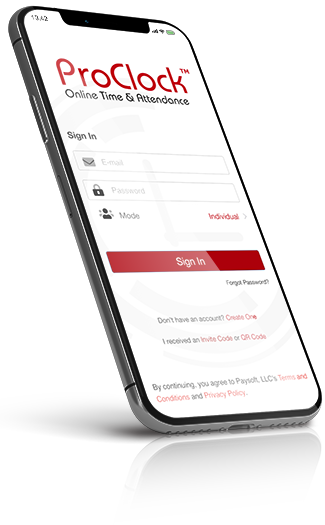
Sign in using Individual Mode if you are using your own personal device. By default, Face Recognition will not be required for every punch you make.

KIOSK #

Sign in using Kiosk Mode if you are using a tablet that is shared with a group of employees.

Manager, Mobile App
How did we do?
Still stuck? How can we help?

How can we help?

How to Submit a Support TicketSetup Your Company
Table of Contents
  • INDIVIDUAL
  • KIOSK

Products

ProClock
ProPay
ProPay WEB

Get Help

Support
Knowledge Base
Video Tutorials

Advanced Time & Attendance solution to help you save time and reduce human error.

© 2025 Paysoft, LLC. All rights reserved

ProClock is a registered trademark of Paysoft, LLC. Price, support, features, and service options subject to change without notice.

By accessing and using this website you agree to the Privacy Policy and Terms and Conditions.

  • Home
    • Timesheets
    • Kiosk Mode
    • Mobile App
    • Management
    • Timesheet Approval
    • Payroll
  • Employer Benefits
  • Pricing
  • Help
  • Contact
Download ProClock in the Google Play Store